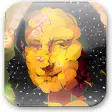
Turn your photos into works of art
Ever thought that Monet would have painted a great picture of you? With Dynamic Auto-Painter, you can do it yourself!
Dynamic Auto-Painter is a neat application that crafts your photos, images of paintings and other items, such as CAD renderings and sketches, into paintings. The process is very easy. Upload your source image to the program, choose the artistic style you're looking for, tweak the settings and press "start". Dynamic Auto-Painter will take it from there, painting a version of your photo - either until it's finished, or until you stop it and fill in the fine details yourself. While the program is painting, you can also pause it and specify where you want more detail, or change the size of the brush it is using.
Dynamic Auto-Painter has a variety of settings, controlling everything from canvas size to how much detail the brushes paint. That said, you don't need a profound knowledge of these options before you start to paint. When you do feel like getting to know Dynamic Auto-Painter a little better, however, you can read the users manual, which provides a clear and in-depth explanation of its functions.
As well as controlling the paint effects, Dynamic Auto- Painter lets you modify the original image so that it will be more suitable for painting, meaning you can blur irrelevant parts of the photo, increase contrast, etc. The process is not a particularly quick one, but when you see the amount of detail that goes into each project you'll see why. Each of my paintings took about 5 - 10 minutes to "autopaint", although you can reduce the number of automatic brush stokes, and consequentially, the time.
Dynamic Auto-Painter will let you turn your photos into true works of art.
vastly improved engine for realism using a special step called dry reveal brush that comes between underpaint and detail brushesportrait mask - you simply paint mask over face to give the preset even more detailed instruction what part should be more realistic. Some Portrait related presets require this mask and will ask for it to be painted , but most of the presets simply benefit more with this mask but work fine without it.great new segmentation and simplify process that can be plugged as part of the AOP process (used now in portrait oriented styles to simplify background)with this all presets had been tweaked and number of parameters in AOP tripled or maybe quadrupled. However the main interface remains same, those new params are hidden in the AOP.great new presets that benefits from the added simplification and new reveal brushnew realistic preset that still somehow look painted yet realisticSave/load current state (currently set parameters)Color Impressions - this is a new way for dynamic palette working (no longer painting of the same tonality) - simply load any existing painting image and the painted result will match the color of that particular painting.
Changes
vastly improved engine for realism using a special step called dry reveal brush that comes between underpaint and detail brushesportrait mask - you simply paint mask over face to give the preset even more detailed instruction what part should be more realistic. Some Portrait related presets require this mask and will ask for it to be painted , but most of the presets simply benefit more with this mask but work fine without it.great new segmentation and simplify process that can be plugged as part of the AOP process (used now in portrait oriented styles to simplify background)with this all presets had been tweaked and number of parameters in AOP tripled or maybe quadrupled. However the main interface remains same, those new params are hidden in the AOP.great new presets that benefits from the added simplification and new reveal brushnew realistic preset that still somehow look painted yet realisticSave/load current state (currently set parameters)Color Impressions - this is a new way for dynamic palette working (no longer painting of the same tonality) - simply load any existing painting image and the painted result will match the color of that particular painting.
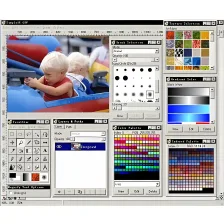


















User reviews about Dynamic Auto-Painter
by Anonymous
Outstanding and great fun!.
I love it. So much flexibility, and so much fun! I can't imagine a program doing a better job, unless it might be improved for realistic prints.
Pros:
Flexible, countless styles, fun and addictive
Cons:
The ability to print realistic output if desired. More
by Anonymous
If it beats my other two programs Id say that pretty well sums it up! :).
I absoulutely love the Portrait and Realism settings the most! I have two other paint programs and this is more true to life, as well as very pleasing to the eye! Happy artist here! More
by Anonymous
One of the best automatic painting programs.
Dynamic Auto Painter can give some very realistic results. Once you've played with the software for a while, you will get the hang of it and start producing masterpieces. I have tried many photo to art software (free or not) and this is one of the best. Needs a powerful machine, though.
Pros:
Very good and varied results (lots of presets). Almost 100% automatic.
Cons:
Can be slow and needs a bit of practice. More
by Anonymous
Very good programm.
Very good programm.Dynamic Auto-Painter, turn your photos into painting.Un program foarte bun pentru transformarea propriilor fotografii in picturi.
Pros:
Imi place.Best program!
Cons:
No. More
by Anonymous
Thought this might be good for family albums . . ..
With so many social networking websites as well as scrap booking, this might be a good tool to use to 'fun up' some pictures to brighten up someone's day; to show your artistic side or inspire someone else's!I seem to have been transparently delegated to be the keeper of the family history. I have 4 sons and 16 grandchildren, not to forget my 3 nephews their wives, children and grand children. I have spent much time collecting and sorting the pictures. I now have 'bins' to store the sorted items. I need to get them published and delegate this task to my heirs. Just from reading the introduction text I believe this application has energized me in that direction; it may just do the job!
Pros:
This seems easy enough; Upload, choose, tweak, press start. Also the ability to stop and pause at your discretion to allow for more detail and change of brush size.I like the idea of having access to a manual. Cons:
The only concern after reading the text might be the time frame of 5 - 10 minutes to modify the original image. But as the saying goes, it might be "well worth the wait". More
by Anonymous
Nice and easy.
The program allows to "re-paint" your photos in different painting styles. The program is easy to install and to use. Only a limited amount of styles is available so far, however, the settings can be adjusted to give an almost unlimited amount of different pics that you can make from a single photograph. A file browser is included, which allows to load the pics easily. The file browser is a little slow. What I am missing is a function to rotate the original pic in 90° steps prior to rendering. The conversion process can take some time, so please be patient. Else, the program is fun to use.
Pros:
Easy to install and to use, adjustable settings, file browser
Cons:
File browser and conversion process slow, no pic rotation, limited number pf presets More